Best moving company software in 2026
This article offers a practical guide for removalists weighing up choices for the best removalist software in 2026 and beyond.

Key takeaways
This article explains how the moving company software market has evolved from limited options and manual workflows into a more mature landscape with all-in-one platforms, specialist inventory tools, AI survey products and enterprise systems. It compares options including Movepro, Movermate, OneXFort, Moveware, Kika and Lexos, outlining which types of moving businesses each platform is best suited to. The key message is that removalists should choose software based on their operational complexity, growth plans and day-to-day workflows, rather than simply picking the product with the longest feature list.
When Muval first started, the landscape for moving company software felt wide open, and there wasn't many options to choose from. I remember it well because we felt like the market was so lacking that we tried building a software product to address the very clear need. If you'll indulge me, here's a little trip down memory lane (circa 2019):
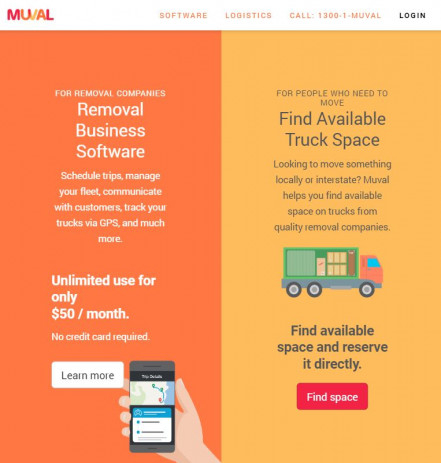
A screenshot of our first home page.
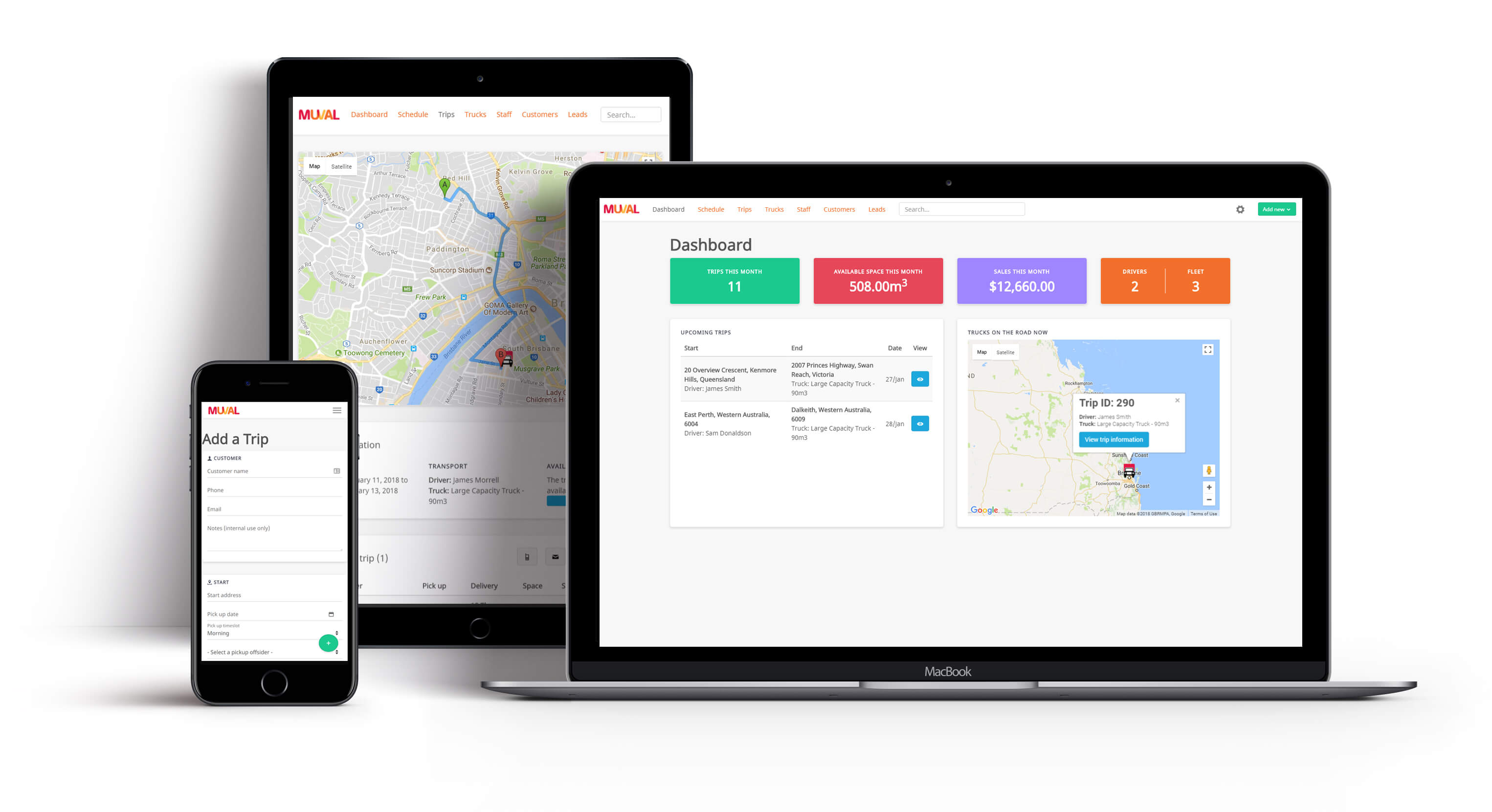
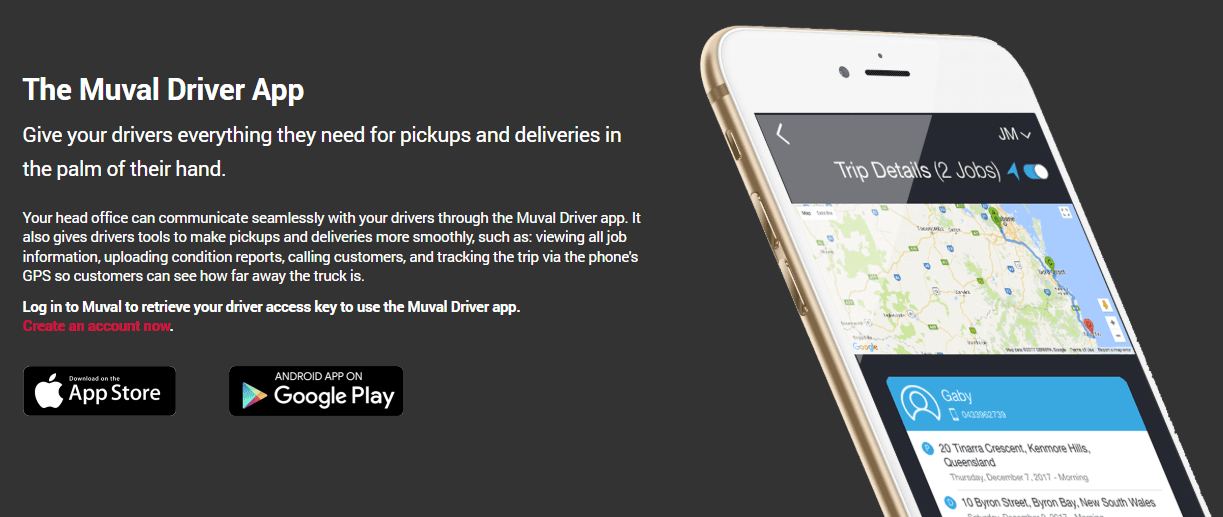
Some screenshots from our original mobile app.
For us at the time, building some software wasn't about just creating a product to sell. What we were trying to do is get an efficient way to access the available space that interstate removalists had in their trucks so that we could make it accessible to people who needed to move interstate. This was the core idea behind Muval in the early days, and getting access to that space availability data was core to our business. Starved for resources, we ultimately abandoned the idea of building our own software and focussed on building the Muval booking platform instead.
Luckily, we found other ways to get the space availability information we needed in order to power our auto-pricing booking engine.
Fast forward to today, and things are very different. Removalists are increasingly spoiled for choice when it comes to software systems they can use to run their businesses more efficiently. Ultimately, choosing software for a moving company is no longer just about finding a better calendar or quote template. The best systems now help removalists capture leads, quote faster, schedule crews, manage inventory, communicate with customers, take payments, run mobile teams, track storage, and understand profitability.
Having a range of software products to choose from is a great thing; not every moving business needs the same platform. Some need more of a removalist CRM, others need a specialist quoting tool, others still are looking for an all-in-one solution.
For example: a small local operator may want a fast, affordable CRM with job scheduling and invoicing. A larger interstate or storage-heavy mover may need deeper inventory, warehouse, container, branch and accounting workflows. A corporate relocation or international moving company may need enterprise-grade controls, portals, reporting and agent management.
This guide compares the current state of moving industry software, including OneXFort, Movermate, Movepro, Moveware, ServiceM8, Kika, Lexos and other serious players. The aim is to help moving companies understand what each platform appears best suited to, based on publicly available product information.
I should also mention that in the age of AI, there's another option that has risen in popularity, too: building your own software. That may be a viable option for some, but it has some serious downsides as well (do you fancy being responsible for a data breach of customer data involving their names and where they live 😬?). Let's keep that for another time.
What moving companies should look for in software
Before comparing platforms, it helps to separate “nice to have” features from the things that actually change day-to-day operations.
Most moving companies should consider:
- lead capture and enquiry management
- quoting, pricing rules and estimate templates
- local, interstate and commercial move workflows
- inventory and volume capture
- customer booking links, deposits and signatures
- job calendar, dispatch and resource scheduling
- crew mobile app functionality
- route, truck, staff and timesheet visibility
- customer communication by email and SMS
- payments, invoicing and accounting integrations
- storage, container or warehouse management
- reporting on sales, margins and operations
- implementation effort and training requirements
- data ownership, security and support
The best choice is rarely the product with the longest feature list. It is the product that matches the complexity of your moving business without adding unnecessary admin. It's also important to keep your aspirations for your business in mind as well, as you want a system thats going to meet your immediate needs, while also being able to meet your needs in future as you scale. Choosing a system that caters only to the former can cause issues later on when its limiting your growth potential and causing your business to slow down.
Quick comparison
| Software | Category | Best suited to |
|---|---|---|
| Movepro | All-in-one moving company software | Professional movers wanting modern cloud software that caters to their whole operation's needs |
| Movermate | Moving CRM and operations platform | Small to medium movers wanting a CRM, an app and a range of integrations |
| OneXFort | Legacy moving/removalist software, now linked to Movepro | Existing OneXFort users or movers assessing migration paths |
| Moveware | Enterprise moving and storage ERP | Larger, multi-branch, storage-heavy or international movers |
| Kika | Digital inventory specialist | Movers needing better inventory, condition and agent handoff workflows |
| Lexos | AI inventory and survey specialist | Movers wanting fast photo/video inventory generation |
Movepro
Movepro is a modern all-in-one platform built specifically for moving companies. It covers lead capture, quoting, job management, scheduling, dispatch, field and fleet workflows, finance/admin, payments and customer-facing tools. It was actually born out of the internal tools and innovation used at Muval to power our industry-leading sales teams that help to book over $20M worth of moving services every year (for full disclosure, it's still owned and operated by the same parent company as Muval). As a platform, Movepro is tried, tested, very strong on sales and booking flows, and now has very advanced operations support with a detailed schedule, task-based job scheduling, crew apps, timesheets, tap to pay, and more. While only in market for 12 months, Movepro has gained the attention and adoption from some of the country's biggest moving companies.
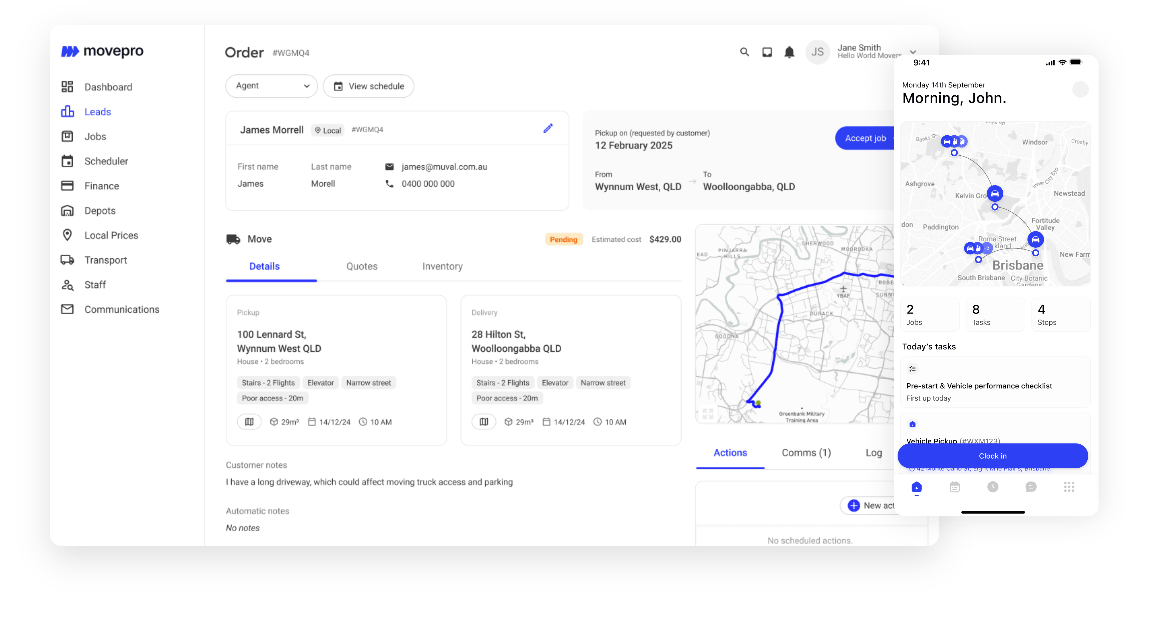
Movepro's positioning is aimed at removalists that want to replace spreadsheets, whiteboards and disconnected point tools with one system, or migrate from a legacy platform like Moveware to something that can support them better into the future. Public pricing is transparent, with plans ranging from solo operators through to enterprise and storage operations.
Pros
- Purpose-built for moving companies, not generic trades.
- Clear focus on local and interstate move workflows.
- Public pricing makes initial comparison easier.
- Enables online customer bookings so removalists can take bookings while their office is closed.
- Covers sales, scheduling, crew workflows, finance, admin and storage in one platform.
- Email, SMS and phone support, with advanced communication automation flows.
- Enables multi-service jobs like packing, unpacking, packing materials and even car and pet transport for bigger interstate operators.
- Strong modern-product positioning, including AI-assisted quoting, ICR and automation.
- Appears well suited to Australian market requirements and terminology.
- Great API coverage which is expanding constantly to power a full ecosystem of integrations: https://api.movepro.com.au/docs
- One big differentiator is its access to the Muval marketplace, including discounted access to local leads for eligible users.
- Drag and drop waybill management
- Advanced cost management and reporting
Cons
- Not yet serving international moving companies.
- Prefers to integrate with external accounting packages rather than building its own (although this might be a pro for some users).
- As a newer platform, long-term enterprise case studies may be less extensive than older global systems.
- Quite advanced for small moving companies and may offer more functionality than they need.
- Doesn't include stock level tracking.
Best suited to
Movepro has rapidly proven itself as a platform that can cater to medium-to-enterprise level customers, and is truly the first time removalists in Australia have had a capable alternative to Moveware. It's perfect for companies that are established, serious about their business and have aspirations to grow. Similarly, it's suitable for companies who are already at scale and want a more modern system to take their business forward and harness the power of AI and modern cloud computing. As a platform it boasts strong functionality as a moving-specific operating system for sales, scheduling, dispatch, crew management and payments.
Movermate
Credit where it's due: Movermate is a solid option for moving companies, albeit maybe more suited to simpler operations than those catered to by products like Movepro and Moveware. It is a CRM and operations platform with office, crew and survey functionality. It promotes itself as an all-in-one platform covering CRM, dispatch, scheduling, accounting, reporting, tracking, inventory, payroll, finance, digital signatures, communications and automation.
Movermate was created by, and is owned by, the same owners as OzWide Movers - a moving company in Australia, so like many other industry software products, it carries the credibility of those who have worked in the field and understands what a moving company needs.
Pros
- Strong feature breadth for small to mid-sized movers.
- Public pricing with clear plan tiers.
- Office app, crew app and survey app structure is easy to understand.
- Simple and fast.
- Good fit for businesses wanting basic lead management, job tracking, invoicing and crew visibility.
Cons
- Public security and enterprise-compliance detail appears lighter than some larger platforms.
- Buyers should validate how deep storage, branch, subcontractor and interstate workflows go.
- Larger operators may need to test reporting, permissions and customisation in detail.
- Some features may depend on plan tier, licence counts or add-ons.
- Some users may also want to understand the ownership structure here, and satisfy themselves around data separation, governance and competitive sensitivity given the link with an operating moving company.
Best suited to
Movermate appears best suited to smaller moving businesses that want a practical and simple moving CRM and need a step up from using Excel.
OneXFort
OneXFort is a legacy removalist software product that has since been merged in to Movepro. Historically, it covered job management, inventory lists and calculators, dispatch, calendar views, quoting, invoicing, emails, messages, Stripe and Xero integration.
For buyers, OneXFort should now be viewed less as a separate long-term greenfield option and more as an important predecessor or migration consideration in the Australian moving software market.
Pros
- Broad moving-company feature set across jobs, inventory, dispatch, quoting and invoicing.
- Built for Australian removalists.
- Existing users may already have workflows and data inside the platform.
- Public material points to Stripe and Xero integration.
- Has mobile and dispatch functionality.
Cons
- The product is no longer available in a standalone sense. Those interested in OneXFort should now use Movepro.
Best suited to
OneXFort is most relevant for existing OneXFort users, former users, or movers comparing the lineage between OneXFort and Movepro. New buyers should generally assess Movepro rather than treating OneXFort as a separate long-term platform.
Moveware
While quite dated now, Moveware is one of the most established moving and storage software platforms globally. It is more enterprise ERP than lightweight SaaS CRM. It covers move management, financials, storage, operations planning, integrated accounting, reporting, mobile survey tools, customer portals and partner portals.
It appears particularly strong for larger legacy movers with multi-branch operations, storage, corporate accounts, international work or complex back-office requirements.
Pros
- Deep moving and storage functionality.
- Long-established vendor with global moving-industry presence.
- Strong fit for enterprise, relocation, storage and international workflows.
- Integrated accounting is a major differentiator.
- Supports customer, partner and mobile workflows.
- Better suited than many SMB platforms for complex operational structures.
Cons
- Likely heavier to implement than cloud SMB tools.
- Very steep learning curve.
- Pricing is generally not as self-serve or transparent.
- Dwindling & expensive support.
- May be more system than a small local mover needs.
- User experience may feel more enterprise than lightweight.
- Implementation, training and data migration should be treated as a proper project.
Best suited to
Moveware appears best suited to legacy customers on the larger end. However, in recent years appears to have struggled to keep up with demand to build integrations, cloud infrastructure, or any AI-related functionality.
Kika
Kika is an industry favourite. It's a fantastic story of a founder who saw a clear problem in filling our ICR's and decided to do something about it. Talk to anyone who works in a moving truck who uses Kika and they'll rave about it. Rather than replacing a full CRM or operations platform, it focuses on uplift condition inventories, delivery inventories, condition reporting, agent management, screen inventories, transhipping and paper-inventory workflows. To be honest, I'm a bit jealous of Kika. It's a simple idea very well executed - I wish I'd thought of it!
It is a good example of a focused tool that solves one important moving problem very well. The founder is a legend, always available to help and is well liked & respected across the industry.
Pros
- Purpose-built for removalist inventory workflows.
- Strong focus on uplift, delivery, condition and tranship processes.
- Useful for agent networks and partner handoffs.
- Public pricing is clear.
- Can complement an existing CRM or moving ERP.
- Good option for moving companies still relying on paper inventories.
Cons
- Not a full CRM, dispatch or finance system.
- Companies may need to run it alongside other software.
- PDF/email handoff may be less seamless than a fully integrated workflow.
- Buyers should test how it fits their existing office and crew processes.
- Similar functionality but powered with AI is available in products like Movepro natively.
Best suited to
Kika appears best suited to moving companies, contractors, van lines and relocation networks that need a better digital inventory and condition-reporting process but do not necessarily want to replace their core operations system.
Lexos
Lexos is an AI-powered inventory and survey tool for movers. Its core promise is simple: customers or estimators provide photos or videos, and Lexos turns them into an itemised inventory, box count and job summary.
This places Lexos in the specialist AI survey category rather than the full moving CRM category.
Pros
- Clear focus on a painful mover workflow: fast inventory capture.
- Photo/video input is convenient for remote surveys.
- Can potentially reduce estimator travel and speed up quote preparation.
- Lightweight compared with replacing an entire operating system.
- Useful for movers that already have a CRM but need better survey automation.
Cons
- Public product detail appears more limited than larger vendors.
- Arguably better functionality is included in Movepro for no additional cost.
- Buyers should validate accuracy on real household inventories.
- Integration depth with existing CRMs should be confirmed.
- Not a complete operations, scheduling or finance platform.
- AI outputs should be reviewed by staff before being used for pricing or contractual commitments.
Best suited to
Lexos appears best suited to movers that want to improve pre-move surveys and inventory creation without changing their whole software stack. It is especially relevant for businesses doing remote estimates or high volumes of residential enquiries.
Which software should a moving company choose?
There is no universal “best” moving company software. The right choice depends on the type of work you do, the size of your team and the operational complexity you need to manage.
For a solo operator or small local mover, the priority is usually fast quoting, simple scheduling, invoicing, payment collection and customer communication. Movepro or Movermate may be worth comparing.
For a growing local and interstate mover, the decision becomes more about scheduling, crew workflows, pricing rules, live job visibility, customer booking links, inventory and accounting. Movepro is probably the winner here due to its ability to support growth through leads and provide more advanced functionality as you scale.
For a storage-heavy or multi-branch mover, the software needs to handle more than bookings. Storage billing, inventory, containers, branches, account customers, permissions, reporting and finance become critical. Again, Movepro probably wins here or for those already using it, Moveware is full-featured and reputable
For a mover with poor inventory processes, Kika and Lexos are worth assessing even if you already have a CRM. These tools solve specific workflow problems that general platforms may not handle deeply enough.
Questions to ask before choosing moving software
Before signing up, moving companies should ask:
- Who owns this software, and what governance do they have in place? Is there a board of directors & investors? Are they likely to be around still in a few years?
- Do they have industry-standard quality assurance accreditations like ISO-27001?
- Does the software support the exact types of moves we do?
- Can it actually schedule jobs the way I need to (e.g. for interstate work can it schedule separate pickup, delivery, tranship, rail drop-off / pickup, agent hand off, etc.)?
- Can it handle local, interstate, commercial, storage or international work as required?
- How does quoting work for hourly, fixed-price and cubic-metre-based jobs?
- Can customers complete inventory, sign documents and pay deposits online?
- What does the crew app actually show on move day?
- Does it integrate with our accounting system?
- Can we import existing customers, leads, jobs and inventory?
- How long does implementation really take?
- What support is included?
- Can we export our data if we leave?
- What happens if internet access drops during a job?
- How are permissions, branches and staff roles managed?
- What reporting is available for margins, conversion rates and operations?
- What features are included in the advertised price, and what costs extra?
- What is its roadmap and vision for the future?
Final take
The moving software market has matured quickly. The old choice was often between spreadsheets, generic CRMs and heavy enterprise systems. Today, movers can choose from modern all-in-one platforms, specialist inventory tools, AI survey products and horizontal field-service apps.
The key is not to buy the most impressive demo. It is to buy the system that fits the way your moving company actually operates now, and how you think it will operate in the future. Pick a system that's going to cater to the company you are, while supporting you to become the company you want to be.
A simple local mover should not overpay for enterprise complexity. A multi-branch storage and relocation business should not try to force its operations into a generic job app. And any mover relying on paper, double entry or disconnected systems should seriously consider whether modern moving software can reduce admin, improve customer experience and protect margins.
Ultimately, the best software is the one your team will actually use: from the first enquiry to the final invoice.
Share this page on Facebook
Moving house starts here
View pricing, read reviews and book professional interstate and local removalists online.
 75,000+ customers
  4.8 rating
  Instant pricing